App · Windows · Ableton Live 12
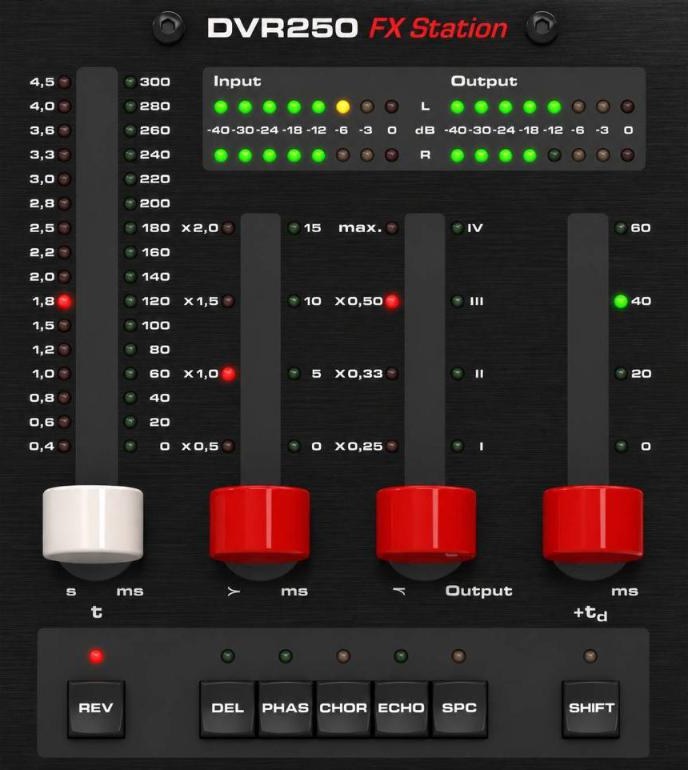
Turn your TC Electronic DVR250-DT into a hands-on effects station for Ableton Live. Six buttons open six of your favourite plugins, SHIFT + button opens an alternate: twelve effects, no mouse.

Why I built it
I love the DVR250-DT as a piece of hardware: real buttons, real faders, that classic reverb workflow. But I wanted more than one reverb under my hands. So I turned it into a switchboard for the plugins I actually use on my tracks.
REV, DEL, PHAS, CHOR, ECHO and SPC each call up the plugin you put behind them.
Hold SHIFT and press a button to switch to a second plugin of the same family: 12 effects in total.
The Windows installer sets up the Ableton remote script for you. No loopMIDI, no Python, no copying files by hand.
The 12 effects
You decide which plugin sits behind each button. Here is the rack I use in my own studio.
Plugins are not included. Use the ones you own, free or paid, and swap them anytime.
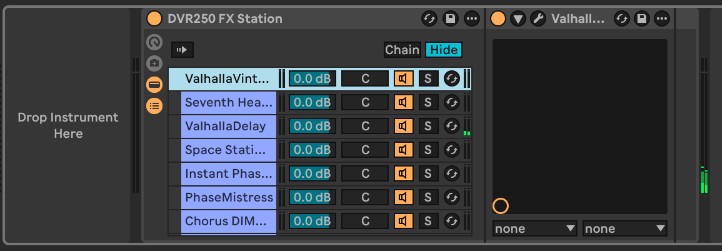
Your plugins live in one Audio Effect Rack named DVR250 FX Station: one chain per effect, 12 chains in button order, zones spread with Distribute Ranges Equally. Then click MIDI in Live to link each parameter to a lever or button. The guide shows every step with screenshots.
Get started
The installer isn't code-signed yet (signing certificates are expensive for a free tool). Click "More info", then "Run anyway".
Yes. Download it before 1 January 2027 and it's yours, free, for good.
So I can send you the download link and future updates of the app. You'll also get occasional news from my studio, and you can unsubscribe in one click.
Not yet. If you'd use one, tell me: it helps me decide.
Download DVR250 FX Station and start playing your effects tonight.
Free download
Enter your email and I'll send you the download link. Free gift until 1 January 2027.
Windows 10/11 · Ableton Live 12. You'll also get occasional news from my studio — unsubscribe anytime. Privacy